
Imagine waking up each day and knowing a part of your business is running smoothly without constant oversight. In today’s fast-paced world, making money while you rest isn’t just a dream anymore. It’s a reality, thanks to platforms like Zapier that can automate many parts of your workflow.
By freeing up time and resources, automation tools such as Zapier allow your business to earn passive income seamlessly. Automation isn’t just for tech wizards; it’s a smart business move that brings efficiency and ease to many industries.

For those seeking an alternative to the conventional grind of working 9 to 5, finding the right tools is essential in this tech-driven age. Automation platforms can handle repetitive tasks, allowing you to grow your business while reducing daily stresses.
When we tap into these technologies, we open doors to more time, less stress, and the opportunity to focus on what truly matters, whether it’s family, personal growth, or exploring new ventures.
When used correctly, tools like Zapier aren’t just helping manage tasks; they’re changing how we think about earning. Are you tired of the same old financial advice that never seems to address your needs fully? You’re not alone. Many have found success by exploring new income paths that align with their goals and values.
Key Takeaways
- Workflow automation saves time and boosts efficiency.
- Platforms like Zapier support passive income generation.
- Choosing the right tools enhances business growth.
Understanding Workflow Automation

Have you ever wondered how much time you could save by automating repetitive tasks? Workflow automation platforms like Zapier can transform the way you run your business, making it more efficient and less time-consuming.
Let’s explore how these platforms can streamline processes, highlight their benefits, and discuss key features.
The Basics of Workflow Automation
Workflow automation takes tasks that usually require manual effort and automates them through software. With platforms like Zapier, you can connect different applications without needing any coding skills.
Imagine setting up an automated workflow that transfers emails to a project management tool, or one that updates spreadsheets with sales data in real-time.
This no-code automation allows for seamless integration of your favorite apps, from eCommerce solutions to email marketing tools. A user-friendly interface ensures that anyone can automate processes, regardless of technical know-how.
By incorporating automation workflows, you’re not just saving time—you’re also reducing errors and improving efficiency.
Benefits of Automating Business Processes
Why should you consider automating your business processes? For one, it increases productivity by minimizing the time spent on routine tasks.
Do you really want to spend your valuable hours sorting through emails or entering data manually? Automation tools handle these tasks, freeing you to focus on strategic decisions and growth.
Efficiency is another benefit. Automation platforms often come with visual editors and conditional logic that simplify complex tasks.
Imagine being able to set rules that automatically move a project to the next phase when conditions are met. This not only streamlines your operations but also enhances accuracy and reliability in your workflows.
Key Features of Automation Platforms
What sets apart a capable automation platform? Strong features like extensive app integrations, visual workflows, and conditional logic are crucial.
For example, Zapier integrates with over 7,000 apps, making it a robust choice for diverse business needs. These platforms offer visual editors that make designing workflows straightforward, even for those without a technical background.
Another key feature is the ability to customize workflows with conditional logic, allowing you to create complex automations that respond to specific criteria. This dynamic capability ensures that your automated processes are tailored to your unique business needs, enhancing efficiency and effectiveness across various applications.
Exploring the Capabilities of Zapier

Working smarter, not harder, can transform how we approach passive income strategies. Zapier, an integration platform, offers tools that can automate processes efficiently. With Zapier, you can create seamless connections between various apps, enhancing productivity and expanding possibilities.
How Zapier Streamlines Passive Income Ventures
As someone looking to boost passive income, have you considered the power of automation? Zapier allows you to automate workflows by connecting different apps—think about automatically recording sales data or managing email campaigns without lifting a finger.
This automation software helps eliminate repetitive tasks, giving more time to focus on income-generating activities. By setting up automated processes, like sending notifications when a specific event occurs, you can respond promptly and efficiently, enhancing your venture’s productivity.
Zapier’s Pre-Built Integrations
Zapier provides access to over 7,000 pre-built integrations with popular apps, which can be a game changer in automation. These pre-built connectors, known as “Zaps,” make it possible to link platforms like Google Sheets, Mailchimp, and Slack without technical expertise.
With these app integrations, you can create “triggers and actions” that automate your processes, keeping your operations seamless. Whether tracking financial records or automating customer follow-ups, these integrations support a wide range of needs in building a passive income stream.
Creating Custom Workflows with Zapier
What if pre-built doesn’t cover your specific needs? Zapier allows for creating custom workflows, letting you tailor processes to your unique business model. You don’t need complex coding skills—just a clear vision.
With custom workflows, you can personalize automation to align precisely with how your passive income business operates. Whether it’s a multi-step process or a simple task, setting up custom workflows gives greater control over how apps interact, providing flexibility to scale as the business grows.
Choosing the Right Automation Tools for Your Business
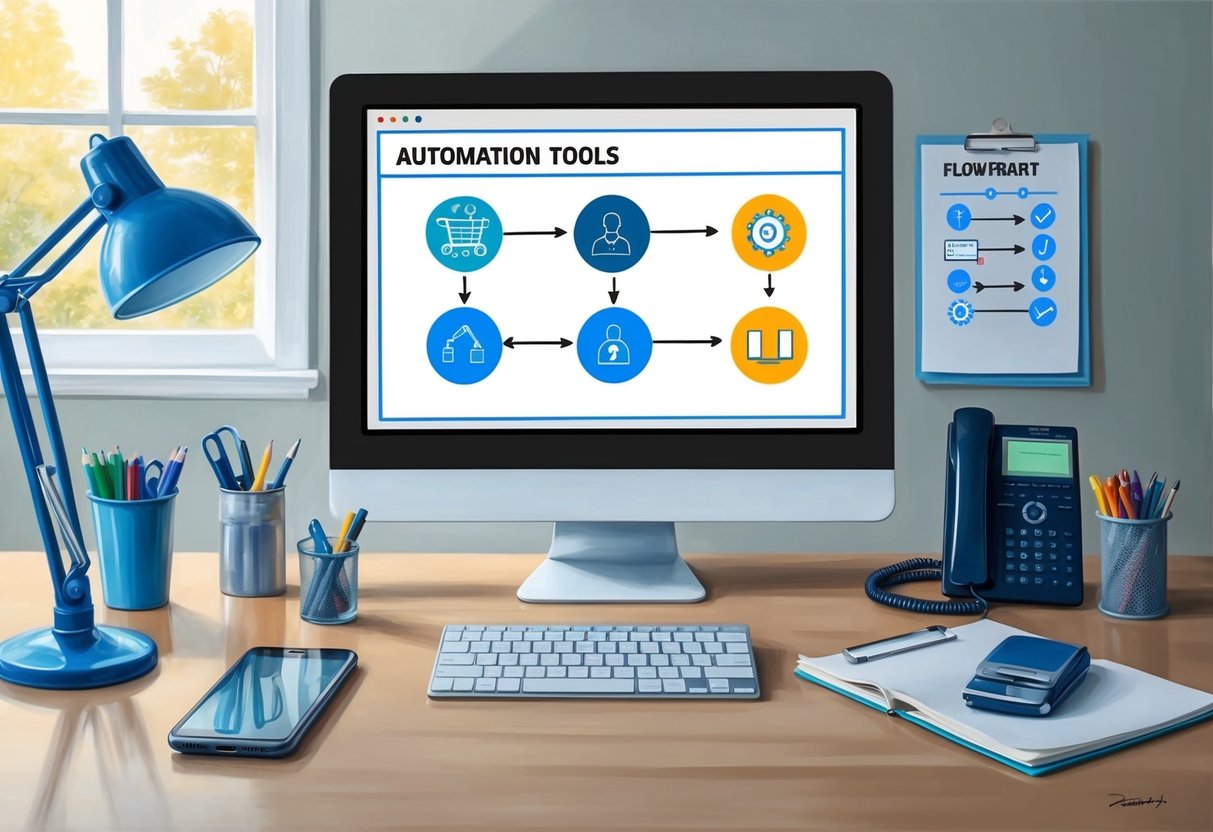
When considering automation platforms for passive income ventures, it’s crucial to analyze your needs, compare available options, and determine which offers the most value. This section offers key insights to help you select the right tool for optimizing business processes.
Comparing Zapier with Other Workflow Automation Platforms
Zapier is a popular choice due to its extensive integration capabilities. It connects over 2,000 apps, making it ideal for diverse business processes. But how does it stack up against other platforms?
Integromat excels in sophisticated routing and detailed workflows, making it a strong alternative. Workato offers enterprise-grade solutions with advanced features like conditional logic. Meanwhile, Microsoft Power Automate provides a seamless connection to Microsoft apps, a potential game-changer for businesses already using Microsoft’s suite.
Choosing between these tools often depends on the specific needs and technical expertise of your team. Each platform has distinct strengths, so weighing factors like user experience and available support can guide the decision-making process.
Assessing Your Automation Needs
Understanding your business’s unique requirements is essential. Are you aiming for marketing automation or streamlining internal processes? Define the tasks you want automated and the level of complexity involved.
Consider the apps and integrations you need. For example, if a key part of your workflow involves CRM or ecommerce platforms, ensure the tool you choose can seamlessly integrate with them. Reflect on whether a low-code or no-code solution suits your team’s technical abilities.
Don’t forget customer support. Reliable, accessible support can be the difference between a successful implementation and frustration.
Evaluating Pricing and Value for Money
Pricing can vary significantly among automation tools. Zapier offers a range of subscription plans from free to professional levels, each tailored to different needs. But how does this compare to other platforms?
Integromat and Microsoft Power Automate both present competitive pricing structures with free tiers, though their comprehensive packages may cost more. Workato leans towards premium solutions with corresponding pricing, often justified by its advanced features.
Determine the balance between cost and value by considering the potential return on investment each tool provides. How much will automating save your business in time and resources? This evaluation will help ensure you’re spending wisely, based on the benefits your chosen platform offers.
Integrating Workflow Automation in Different Industry Sectors

Integrating workflow automation is like having an extra pair of hands that never tire. It boosts efficiency, reduces errors, and frees us up to focus on growth. Let’s explore how various industries use automation tools to revolutionize their operations.
Enhancing Ecommerce with Automation
Have you ever wished your ecommerce business could run smoother? Integrating platforms like Zapier with your ecommerce store can automate tasks such as inventory management and customer notifications. This means fewer mistakes and happier customers.
With the right tools, I can also optimize my sales pipeline by automating order processing, tracking shipments, and managing customer support queries. This reduces manual data entry and keeps everything organized. Automation elevates the customer experience by ensuring quick responses and streamlined transactions.
Imagine a system where your customer relationship management (CRM) talks directly to your website. That’s possible today, enhancing decision-making and sales strategies. In the fast-paced world of ecommerce, integrating automation is not just smart—it’s essential.
Automating Marketing and Lead Management
Marketing isn’t what it used to be. In today’s digital age, automation can take my campaigns to new heights. Using integration platforms, I can automate various marketing tasks like sending newsletters, tracking leads, and managing social media posts.
Tools like Outfunnel connect my marketing channels with my CRM. This ensures that lead data flows seamlessly between systems, helping me nurture prospects without missing a beat. Automated follow-ups and targeted messaging become effortless, keeping potential customers engaged.
Why spend hours manually tracking lead interactions when systems can do it faster and without errors? Automating marketing and lead management helps me maintain a robust sales pipeline with less effort, allowing me to focus on strategy instead of execution.
Streamlining Project Management Processes
Have you ever felt bogged down by endless project details? Workflow automation can revolutionize project management by organizing tasks and deadlines effortlessly. By integrating automation with project management tools, I can reduce administrative burdens and improve team collaboration.
Platforms like these integrate well with tools like Microsoft Teams or Zoom, keeping everyone on the same page. Automated notifications and task updates ensure nothing slips through the cracks, boosting productivity.
Why not let technology handle repetitive tasks like time tracking and resource allocation? Automation can help me focus on higher-level decisions and project strategies. By streamlining these processes, I can achieve goals more efficiently and keep projects on track for success.
Advanced Automation Techniques

I love exploring ways to make automation work harder for us, and that’s especially true for those of us looking at passive income strategies. Let’s dive into some advanced methods that can elevate your workflows, like using conditional logic, leveraging APIs, and creating multi-app workflows.
Using Conditional Logic to Tailor Automation
Have you ever wondered how automation can adapt to different scenarios? Conditional logic is your answer. This technique allows you to set rules so that your automated workflows can make decisions. For example, if an email contains a certain keyword, you can route it to a specific folder or send an automatic reply.
With platforms like Zapier, incorporating conditional logic is straightforward. It helps customize your app integrations, ensuring each process runs precisely how you need it to. The ability to tweak your workflows based on conditions ensures efficiency and reduces manual errors, making every automated task more purposeful.
Leveraging APIs for Deeper Integrations
To take automation a step further, leveraging APIs can open up a world of possibilities. APIs allow different software applications to communicate with each other, enabling more complex app integrations. This means you can do more than just connect basic features of apps; you can tap into deeper data and functions.
Using tools available in integration platforms like Zapier, you can harness APIs to automate workflows across apps that don’t normally interact.
Imagine pulling data from a customer database and using it to personalize marketing emails automatically. By using APIs, you ensure your systems work in harmony, providing a level of integration that standard setups might not offer.
Multi-App Workflows for Comprehensive Automation
Why limit yourself to automating one task at a time? Multi-app workflows allow you to create chains of automated actions across numerous applications.
For example, you can sync your email marketing with social media updates and follow up with CRM data—all without lifting a finger.
This comprehensive approach can handle multiple tasks simultaneously, saving time and reducing potential errors.
With automation software like Zapier, you can create workflows where one action triggers another, making processes seamless.
By connecting various apps through a structured workflow, you unlock the true power of automation. This not only eases your workload but also enhances productivity and efficiency across the board.
Best Practices for Workflow Automation

To really optimize your passive income business with workflow automation, it’s crucial to design effective processes, fully utilize all available tools, and ensure the long-term success of your automations.
These key areas will enhance your efficiency and help ensure consistent results.
Designing Effective Zaps for Routine Tasks
When creating Zaps, the goal is to address repetitive tasks seamlessly.
I start by identifying which routine activities consume the most time. It helps to use a visual editor to map out these tasks clearly. This makes it easier to see the flow and tweak as needed.
Think about the steps involved in each task. How can you simplify this process?
Breaking down complex processes into smaller, manageable Zaps can drastically improve your efficiency.
Remember to test each Zap thoroughly to ensure it works under various scenarios.
Maximizing the Use of Automation Features
Are you using all the features available in your automation tools? Many of these platforms, including Zapier, offer powerful integrations and settings designed to enhance productivity.
Features like triggers, filters, and actions can customize your automation to fit your specific needs.
Utilizing live chat support offered by the service providers can be invaluable when you encounter roadblocks.
It’s also wise to stay updated with any new features. These updates often address user-requested improvements and might offer solutions to issues you didn’t know you had.
Ensuring Long-Term Success with Automation
Sustaining the benefits of workflow automation requires ongoing attention.
I regularly review my Zaps to make sure they still align with my business goals and adjust them as necessary, especially when my customer type shifts or when new tools become available.
Additionally, monitoring performance is essential. Setting up alerts for failures can help you quickly address any issues before they impact your efficiency.
Remember, just like any business tool, automation isn’t a set-it-and-forget-it solution. By being proactive, you can ensure that it continues to support your business effectively over the long haul.
Language and Technical Support for Different Users

Navigating workflow automation platforms can be a game-changer, especially for those seeking passive income opportunities. But how does language support and user onboarding impact this journey? Let me break it down for you.
Multilingual Support and Accessibility
Having a multilingual support system is like having a friend who speaks your language. It’s more than convenience; it’s about inclusivity.
Many automation platforms, like Zoho Flow, offer interfaces in multiple languages, making them accessible to users worldwide. This feature is crucial for businesses aiming to tap into global markets.
Accessibility also extends to the interface. A user-friendly interface makes a difference.
It’s intuitive, easy to navigate, and even users new to technology can get on board quickly. Visual aids, simple language, and clear instructions help bridge any communication gaps that might exist.
Support Resources for User Onboarding
Starting something new can feel daunting, but strong customer support can ease the transition.
Support resources like tutorials, FAQs, and community forums are gold mines of information. Platforms often provide extensive guides and step-by-step videos to walk users through setup and common tasks.
Live chat support can be a lifesaver when quick answers are needed. It offers immediate help, ensuring users don’t waste time waiting for emails.
Do you remember the last time you needed help right away? Having someone available instantly makes a world of difference.
Building confidence and competence right from the start sets users up for success.